
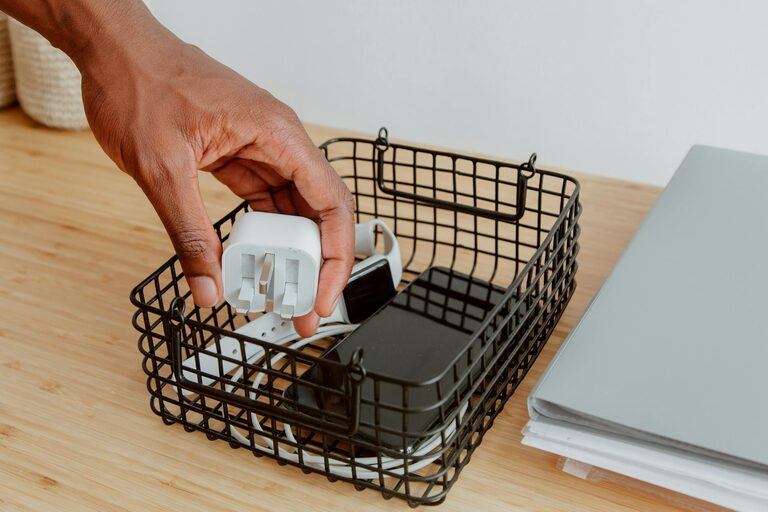
Managing cables and chargers can quickly become a frustrating task. Between different device types, varying lengths, and frequent use, cables often end up tangled in chaotic piles. A neat and orderly setup not only improves the look of your space but also saves time when you need to find the right cord. In this post, we’ll explore simple and effective ways to organize your cables and chargers so they stay tangle-free and accessible.
Why Organizing Cables Matters
Before diving into solutions, it’s worth understanding why cable organization is beneficial:
– Reduces clutter: Tangled cables create visual mess and waste space.
– Prevents damage: Neatly stored cables are less likely to fray or break.
– Saves time: When cables are sorted and labeled, you spend less time searching.
– Improves safety: Organized cables reduce tripping hazards and overheating issues.
Start with Cable Management Basics
Sort and Declutter
First, gather all your cables and chargers in one place. Sort them by type—for example, phone chargers, laptop cords, HDMI cables, and USB cords. Identify cables you no longer use or that are duplicates and consider recycling or donating them. This decluttering step creates space and makes organizing simpler.
Group by Function or Device
After sorting, group cables that serve similar purposes or belong to the same device family. For instance, keep all smartphone chargers together and all entertainment system cables in another bundle. Grouping helps when you’re looking for a particular cable and when setting up storage solutions.
Practical Ways to Organize Cables and Chargers
Use Cable Ties and Velcro Straps
One of the easiest ways to keep cables neat is by bundling them. Reusable Velcro straps or cable ties prevent cords from tangling and can be adjusted when you need to add or remove cables.
– Coil each cable loosely to avoid damage.
– Secure the coil with a strap or tie.
– Label the strap if possible with the cable’s purpose or device name.
Label Your Cables
Labels are a game-changer, especially if you have many similar-looking cables.
– Use small adhesive labels or tags.
– Write brief descriptions like “Phone Charger,” “Printer USB,” or “HDMI TV.”
– Alternatively, use color-coded tapes to match cables to devices.
Use Dedicated Cable Organizers
Cable organizers come in various designs and price ranges:
– Cable boxes: Hide power strips and cables inside stylish boxes.
– Cable sleeves: Flexible tubes that bundle multiple cables together.
– Cable clips and holders: Attach to desks or walls and hold cables in place, preventing slipping.
– Drawer organizers: Compartments for storing unused cables and chargers.
Create a Charging Station
If charging multiple devices daily, a dedicated charging station keeps everything in one place.
– Use a multi-port USB charger or power strip.
– Keep cables coiled and labeled near their ports.
– Organize the station on a desk, shelf, or counter to avoid mess.
Use Hooks and Wall-Mounted Solutions
For larger cables like HDMI or Ethernet cords, consider hanging them:
– Install adhesive hooks on walls or inside cabinets.
– Hang coiled cables on these hooks for easy access.
– You can color-code hooks or label each hook for clarity.
Additional Tips for Cable Maintenance
– Avoid tight coils: Wrap cables in loose loops to prevent internal wire damage.
– Keep cables off the floor: Use clips or hooks to elevate cables and avoid dust or tripping.
– Perform regular checks: Periodically examine cables for wear and organize new additions promptly.
– Store extras separately: Keep spare or seasonal cables in labeled boxes or plastic bags, stored in a drawer or closet.
DIY Cable Organization Ideas
If you enjoy crafts or want budget-friendly options, try these DIY ideas:
– Toilet paper rolls: Wrap each cable and secure with a rubber band, then store rolls upright in a box.
– Binder clips: Clip cables on the edge of your desk for easy reach.
– Egg cartons: Use sections for small cables and adapters.
– Bread clips: Repurpose bread bag tags as cable labels by writing the device name on them.
Final Thoughts
Organizing cables and chargers doesn’t have to be complicated or expensive. With some sorting, simple tools like cable ties, and a little system in place, you can maintain a neat and efficient workspace or living area. Whether you opt for store-bought organizers or DIY methods, the key is consistency—regularly tidying cables will keep your space clutter-free and make your devices easier to manage.
Try these tips today and enjoy a more organized, stress-free environment!